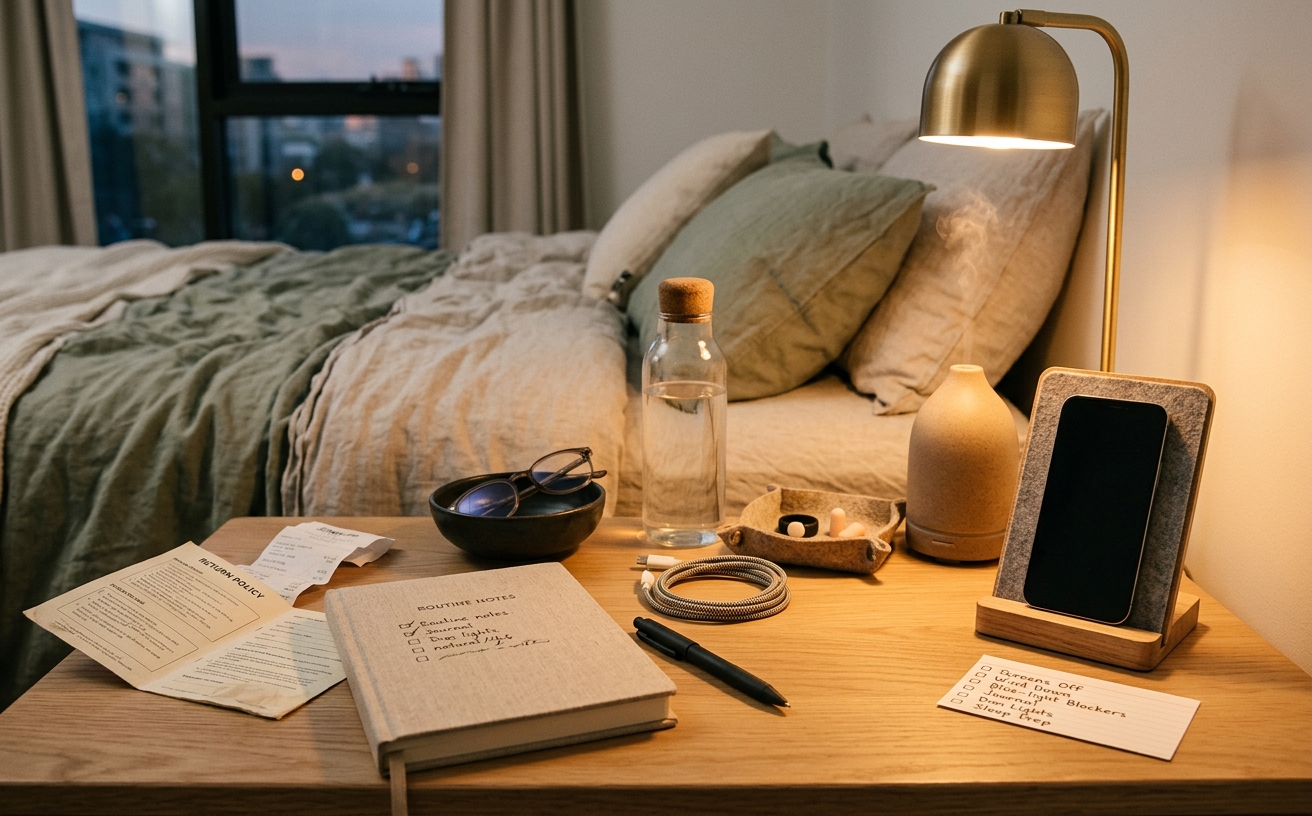
The life constraint comes first; the product claim stays on probation.
Most sleep hygiene advice demands zero screens after 8:00 PM. For the majority of adults, that is an entirely unrealistic standard. We rely on our devices to communicate with family, read, unwind, and manage our households. Instead of aiming for perfect digital abstinence—which often results in failure and frustration—an evening screen boundary system relies on a phased reduction of both light exposure and cognitive load. By systematically stepping down your digital engagement over a few hours, you align with your circadian rhythm without requiring superhuman willpower.
This approach separates the physical properties of screens (like blue light) from the psychological impact of what you are viewing (like a stressful work email or an algorithmic feed). Building a reliable boundary system means auditing your current habits, acknowledging trade-offs, and setting up environmental cues that make winding down the path of least resistance.
Medical Boundaries and When to Seek Professional Guidance
The information provided here is general in nature and is not medical advice. You should skip this routine and speak directly with a healthcare provider if you are experiencing severe insomnia, suspect you have a sleep disorder like sleep apnea, or if you do shift work that requires a specialized circadian management plan.
Additionally, individuals with certain mental health conditions, such as severe anxiety, PTSD, or bipolar disorder, should be cautious. For some, the sudden removal of distraction can trigger rumination or panic attacks, and bright light exposure can heavily influence manic episodes. If you are pregnant, managing a chronic illness, taking medications that disrupt sleep, or recovering from a concussion where screen time is limited by a doctor, consult your clinician before altering your evening routines.
Why Willpower Fails and Systems Succeed
Telling yourself to simply "put the phone away" rarely works because smartphones are engineered to hold attention. When we rely solely on willpower at the end of the day, we are asking our most fatigued executive function to fight against highly optimized software.
An evening screen boundary system shifts the burden from your willpower to your environment and device settings. It addresses the two distinct ways screens disrupt sleep:
- Circadian disruption: Short-wavelength (blue) light mimics daylight, suppressing the pineal gland's production of melatonin, the hormone that signals to your body it is time to sleep.
- Cognitive arousal: Interactive content—like swiping through social media, reading the news, or replying to messages—spikes cortisol and keeps the nervous system in an active, vigilant state.
Focusing only on blue light filters is a common misstep. Wearing amber glasses while arguing in a group chat will still leave you too wired to sleep. A functional system must address both light and stimulation.
Phase One: The Active-to-Passive Shift (90 to 120 Minutes Before Bed)
The first tier of the boundary system does not require you to turn off all screens. Instead, it requires a shift from "active" screens to "passive" screens.
Active screens demand input and decision-making. This includes smartphones, tablets, laptops, and gaming consoles. Passive screens, like a television across the room, simply present a narrative that you observe. The physical distance of a television also means the light intensity hitting your retinas is significantly lower than a phone held twelve inches from your face.
During this phase, implement the following boundaries:
- Close laptops and step away from work-related communication.
- If you want to consume media, choose a television show or a movie rather than scrolling short-form video feeds.
- Begin dimming overhead lights in your living space. In Melbourne, where summer daylight saving stretches late into the evening, you may need to draw blinds earlier to signal to your brain that the day is ending.
Phase Two: The Content Boundary (60 Minutes Before Bed)
As you enter the hour before sleep, the focus shifts heavily toward reducing cognitive arousal. If you must use a handheld device during this window, the content boundary dictates that it can only be used for low-stakes, calming activities.
This is where software automation becomes highly practical. Relying on your phone's built-in tools can enforce this boundary for you:
- Grayscale Mode: Configure your phone to switch to black-and-white. This drastically reduces the psychological reward of notification badges and vibrant images, making the device inherently less appealing.
- Downtime and App Limits: Use iOS Focus modes or Android Digital Wellbeing to block access to email, news apps, and social media.
- Acceptable Use: Reading an e-book, listening to an audiobook, or using a guided meditation app are generally acceptable during this phase, provided the screen brightness is turned all the way down.
Phase Three: The Physical Boundary (30 Minutes Before Bed)
The final half-hour before sleep is where the physical boundary is drawn. The goal is to remove the temptation of the screen entirely from your immediate sleeping environment.
The most effective strategy is the "bedroom door rule." Devices that connect to the internet should not cross the threshold of the bedroom. Establish a charging station in the kitchen, living room, or hallway.
There is a concrete trade-off here: many people use their phones as alarm clocks. The solution is to purchase a standalone, analog, or basic digital alarm clock that does not emit bright blue light. Spending a small amount of money on a dedicated alarm clock is often the single most effective step in solidifying an evening screen boundary. It eliminates the excuse to bring the phone to the bedside table, which inevitably leads to late-night scrolling if sleep does not come immediately.
Conducting a Hardware and Software Audit
To make this system reliable, set aside fifteen minutes during the day to audit your current setup. Do not try to configure these settings when you are already tired.
Check your device settings: Ensure "Night Shift" or "Eye Comfort Shield" is scheduled to turn on automatically at sunset. While this does not solve cognitive arousal, warming the screen temperature is a helpful baseline. Schedule your "Do Not Disturb" mode to activate at least an hour before your intended sleep time. Allow bypasses only for critical contacts, such as family members or emergency alerts.
Evaluate your physical environment: Look at your bedroom lighting. If your bedside lamps use bright, cool-white bulbs, swap them for warm, low-wattage alternatives. If you rely on a phone for white noise, consider transitioning to a dedicated sound machine or an old device that has been stripped of all other applications and internet access.
Who Should Skip or Modify This System
Strict screen boundaries are not appropriate or practical for everyone. You should modify or skip certain phases if you fall into these categories:
- On-call professionals and emergency workers: If your job requires you to monitor a device overnight, the physical boundary (Phase Three) is not feasible. Focus instead on utilizing strict application blocking for non-work apps so you aren't tempted to scroll while waiting for alerts.
- Parents of teenagers or young adults: If you need to keep your phone nearby to ensure your children get home safely, rely on customized "Do Not Disturb" settings that only allow calls from specific numbers to ring through.
- People with tinnitus or severe nocturnal anxiety: If you require an audio distraction (like a podcast or an audiobook) to prevent anxiety spirals or mask ringing in the ears, keep your device nearby but place it face down, out of arm's reach, and use a sleep timer so the audio stops eventually.
Frequently Asked Questions
Are blue light blocking glasses actually effective?
The evidence regarding blue light glasses is mixed. While they do physically block short-wavelength light, they are often used as a crutch to justify poor evening habits. Wearing blue light glasses while reading stressful news or engaging in fast-paced video games will not protect you from the cognitive arousal that delays sleep. They can be a helpful tool within a broader system, but they are not a standalone solution.
Do e-readers count as screens?
E-ink devices, such as basic Kindles or Kobos, are generally considered exceptions to the screen rule. Because they use electronic ink and rely on front-lit technology (where LEDs point down at the screen rather than out at your eyes), they cause minimal circadian disruption. Provided you are reading something relaxing rather than highly suspenseful, an e-reader is an excellent tool for the final 30 minutes before bed.
What if I wake up in the middle of the night?
If you wake up and cannot fall back asleep within 20 minutes, the standard advice is to get out of bed and do a quiet activity until you feel sleepy. The screen boundary applies here, too. Resist the urge to check your phone to see the time or scroll through messages. Keep lighting dim and engage in an analog activity, such as reading a physical book or doing a simple puzzle, until sleep pressure builds again.