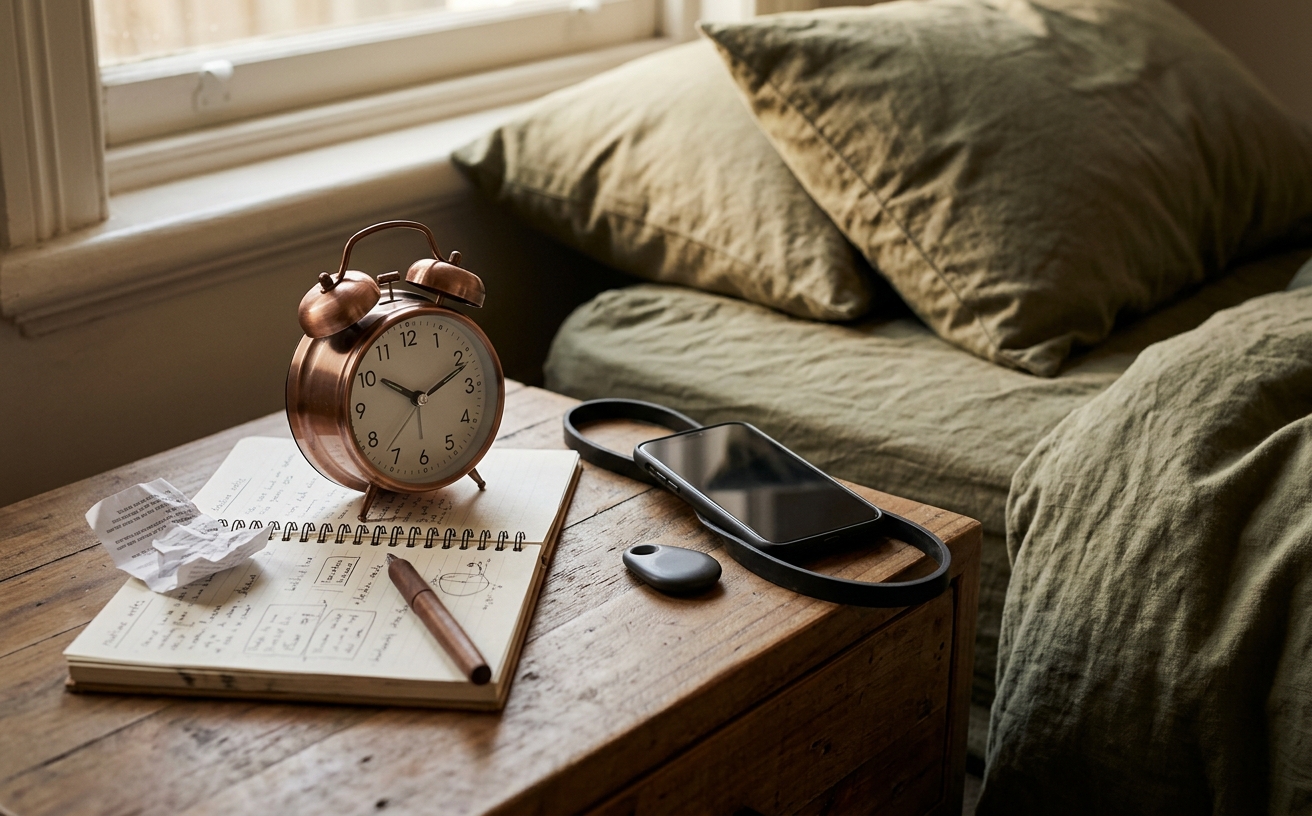
The life constraint comes first; the product claim stays on probation.
Most sleep hygiene discussions eventually target the bedside table. The debate between using a smartphone or a standalone alarm clock is common, but the right choice depends heavily on your habits, your living situation, and your relationship with screen time. If your phone frequently delays your sleep onset due to late-night reading or scrolling, moving it out of the bedroom is a practical step. However, if you rely on specific sleep tracking features, emergency contact access, or medical monitoring, a dedicated alarm clock might introduce unnecessary friction.
Weighing the alarm clock versus the phone is not about achieving perfect wellness. It is about understanding your own behavior at the end of the day. A smartphone is an incredibly capable timekeeping device, but it is also an open door to the outside world. A standalone clock does one job, but doing only one job means it lacks the flexibility many of us have come to expect. Deciding which device belongs next to your bed requires a realistic look at how you actually fall asleep and wake up.
The Case for Keeping Your Phone (With Boundaries)
Smartphones are objectively excellent alarms. They automatically adjust for daylight saving time, allow for highly complex recurring schedules, and continue to function during household power outages. You can choose from dozens of audio tones, set escalating volumes, and integrate your alarm with smart home routines that turn on the heating or start the coffee machine.
For many people, the phone is also a necessary safety link. If you have elderly family members, teenage children who are out late, or professional responsibilities that require you to be reachable, turning off your phone or leaving it in another room is not a viable option. The anxiety of being disconnected can actually degrade your sleep quality more than the presence of the screen.
If you decide to keep your phone by the bed, the goal is to neutralize its capacity for distraction. You can maintain the convenience of the device while protecting your sleep environment by implementing strict digital boundaries.
- Use strict focus modes: Both iOS and Android offer dedicated sleep or bedtime modes. Configure these to block all notifications except for alarms and calls from your emergency contacts.
- Create physical distance: Plug the phone into a charger across the room. You will still hear the alarm, and you will be forced to physically get out of bed to turn it off, which helps prevent oversleeping. Crucially, it stops you from blindly reaching for the screen when you wake up briefly at 3:00 AM.
- Utilize grayscale filters: Setting your phone screen to black and white during evening hours makes the interface significantly less stimulating, reducing the temptation to scroll if you do pick it up to check the time.
The Case for a Dedicated Alarm Clock
The primary argument for a standalone alarm clock is environmental control. Removing the smartphone from your bedroom entirely eliminates the risk of falling into a scrolling session when you intended to go to sleep. It breaks the psychological association between your bed and your daily communications, work emails, or social media feeds.
When your phone charges in the kitchen or living room, your bedroom becomes a single-purpose space for rest. If you wake up in the middle of the night and want to know the time, you can glance at a clock without being confronted by a lock screen full of unread notifications. For people who struggle with a racing mind at night, this physical separation is often highly effective.
There are three main categories of standalone clocks to consider, each with distinct characteristics:
- Basic Digital Clocks: These are inexpensive and reliable. However, many use bright LED displays that can illuminate a dark room and disrupt melatonin production. If you choose this route, finding one with an adjustable or red-tinted display is essential.
- Analog Clocks: Traditional clocks offer a pleasing aesthetic and zero light pollution. The trade-offs include less precise alarm setting (you are usually guessing the exact minute on a small dial) and the potential for an audible ticking sound, which bothers some light sleepers.
- Sunrise Simulators: These devices gradually increase a warm light in your room over 30 to 40 minutes before your audio alarm sounds. They are particularly useful during dark winter mornings, helping to reduce sleep inertia by signaling to your brain that it is time to wake up before the actual noise begins.
What to Evaluate Before Buying an Alarm Clock
If you decide to transition to a standalone clock, the specific model you choose will dictate whether the experiment succeeds or frustrates you. Many cheap clocks introduce new annoyances that make you miss your phone. Consider the following criteria before making a purchase.
Display Management
The most common complaint about digital alarm clocks is that they are too bright. A glaring blue or white LED screen can mimic daylight, interfering with your circadian rhythm. Look for a clock that offers a fully dimmable display, ideally one that can be turned down to zero. Red or amber numbers are preferable to blue, green, or white, as warmer light wavelengths have less impact on sleep architecture.
Audio Options and Volume
The traditional, aggressive beeping of an alarm clock triggers an immediate spike in cortisol. While this certainly wakes you up, it is an abrasive way to start the day. Check if the clock offers alternative waking sounds, such as nature audio or a simple, gentle chime. Furthermore, ensure the volume is adjustable. An alarm that is permanently set to maximum volume will likely become a source of dread.Power Reliability
Your smartphone has a built-in battery, meaning it will wake you up even if the power grid goes down overnight. A standalone clock plugged into the wall will not, unless it has a battery backup feature. Always verify that the clock takes backup batteries (usually AA or coin cells) to remember the time and trigger the alarm during an outage.
Interface and Usability
Smartphones make setting alarms incredibly intuitive. Standalone clocks, particularly those with multiple features like radios or light simulators, can be notoriously difficult to program. If changing the alarm time requires a manual and five different button combinations, you are less likely to adjust it for weekends or varying work schedules. Look for tactile, clearly labeled buttons that you can navigate by touch in the dark.
Health, Safety, and When to Skip the Switch
While moving your phone out of the bedroom is widely recommended for general sleep hygiene, there are specific situations where this advice should be ignored. The following conditions and circumstances require keeping your primary communication device accessible.
Medical Monitoring: If you use your smartphone to monitor a Continuous Glucose Monitor (CGM) for diabetes, or if you rely on specific sleep apnea tracking applications recommended by a doctor, your phone needs to stay by your bed. Do not compromise your medical tracking for the sake of a generic wellness trend.
On-Call Professionals and Caregivers: Medical staff, emergency responders, and individuals caring for sick family members or aging parents must remain reachable. If your responsibilities require immediate communication, keep your phone nearby and use focus modes to silence non-essential alerts.
Mental Health and Recovery: For some individuals managing severe anxiety, the physical absence of a phone can trigger panic rather than calm. Additionally, those in recovery from eating disorders or managing significant mental health risks may have safety plans that require immediate access to a support network or crisis line during the night. In these cases, the phone is a vital safety tool.
Chronic Insomnia: If you are experiencing chronic insomnia, severe sleep anxiety, or suspect an underlying physical issue like sleep apnea, simply buying a new alarm clock will not resolve the root cause. These conditions require clinical evaluation. Please consult a general practitioner or a sleep specialist rather than relying on consumer electronics to fix a medical issue.
Pregnancy: During pregnancy, especially in the later trimesters, having a phone nearby for late-night symptom checking, contacting a healthcare provider, or preparing for sudden hospital trips is a necessary practical measure.
General information only, not medical advice. Always prioritize your physical safety and clinical care plans over general sleep hygiene tips.
Making the Transition Work
If you have decided a standalone clock is right for you, expect a brief adjustment period. You may experience a phantom urge to reach for your phone when you first wake up or right before you turn off the light. This is a standard behavioral habit that usually fades within a week or two.
To make the transition easier, consider buying an inexpensive, basic clock first to test the routine before investing in a high-end sunrise simulator or designer analog clock. Use this trial period to figure out where the clock should sit, how loud you need the alarm to be, and whether you genuinely miss the convenience of your phone.
You will also need to establish a new wind-down routine. Without a screen to occupy your attention in bed, you might find yourself feeling restless initially. Keep a physical book, a notepad for writing down tomorrow's tasks, or a magazine on your bedside table to fill the gap left by your digital device.
Frequently Asked Questions
Can I just use airplane mode on my phone?
Yes, utilizing airplane mode is an excellent middle ground. It stops incoming notifications and prevents late-night browsing while allowing you to keep your custom alarms and sleep tracking apps. However, it requires daily discipline to toggle it on and resist the urge to turn it off if you wake up in the night.
Are smart speakers a good alternative to an alarm clock?
Devices like Amazon Echo or Google Nest can function well as voice-activated alarms. You can ask them for the time in the dark without opening your eyes, which is highly convenient. However, models with screens can be just as bright and distracting as a smartphone, and some users prefer not to have a microphone-enabled device in their sleeping environment.
Will a sunrise alarm cure my winter fatigue?
Sunrise simulators do not cure seasonal affective disorder or chronic fatigue, but they are highly practical tools for managing sleep inertia. By exposing your closed eyelids to gradually increasing light, they help suppress melatonin production before you wake up, making the physical act of getting out of bed in a dark room feel slightly less difficult.